eMitra SSO Login: How to Access eMitra Through Your SSO ID
eMitra SSO login is how most residents of Rajasthan access one of the state’s most widely used citizen service networks — utility bill payments, certificate applications, and dozens of other everyday government tasks — all through the same SSO ID you already use for other government services. This page explains exactly how the SSO login eMitra connection works and how to get into your eMitra services smoothly.
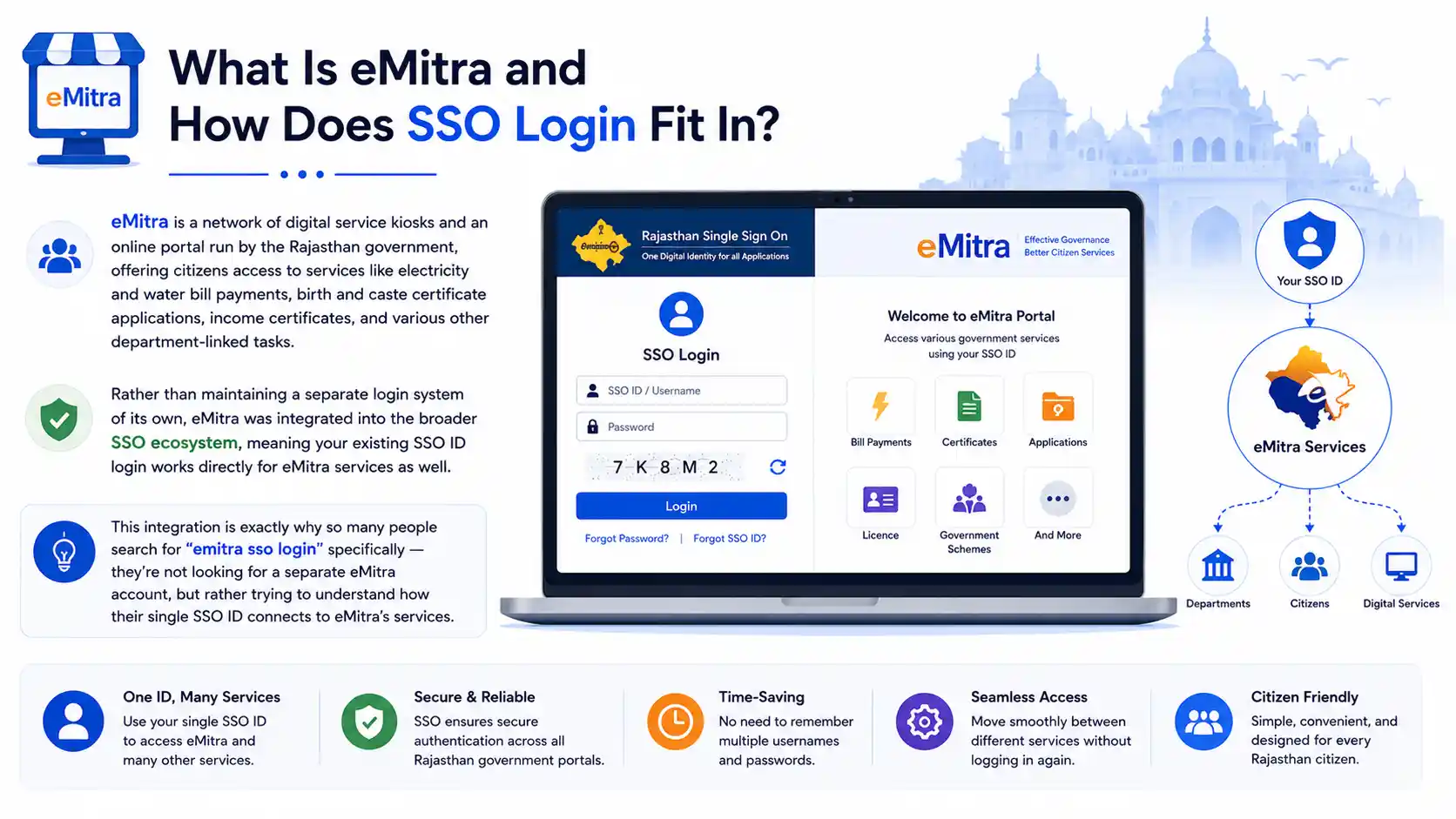
What Is eMitra and How Does SSO Login Fit In?
eMitra is a network of digital service kiosks and an online portal run by the Rajasthan government, offering citizens access to services like electricity and water bill payments, birth and caste certificate applications, income certificates, and various other department-linked tasks. Rather than maintaining a separate login system of its own, eMitra was integrated into the broader SSO ecosystem, meaning your existing SSO ID login works directly for eMitra services as well.
This integration is exactly why so many people search for “emitra sso login” specifically — they’re not looking for a separate eMitra account, but rather trying to understand how their single SSO ID connects to eMitra’s services.
Step-by-Step: SSO Login for eMitra
- Visit the official SSO Rajasthan portal and open the login page.
- Enter your SSO ID — this could be linked to your Jan Aadhaar, mobile number, or SIPF ID depending on your registration category.
- Type your password and complete the captcha shown on screen.
- Click Login. Complete OTP verification if prompted.
- Locate the eMitra tile on your SSO dashboard once you’re logged in.
- Click into eMitra to access bill payments, certificate applications, and other connected services directly, without needing to log in again separately.
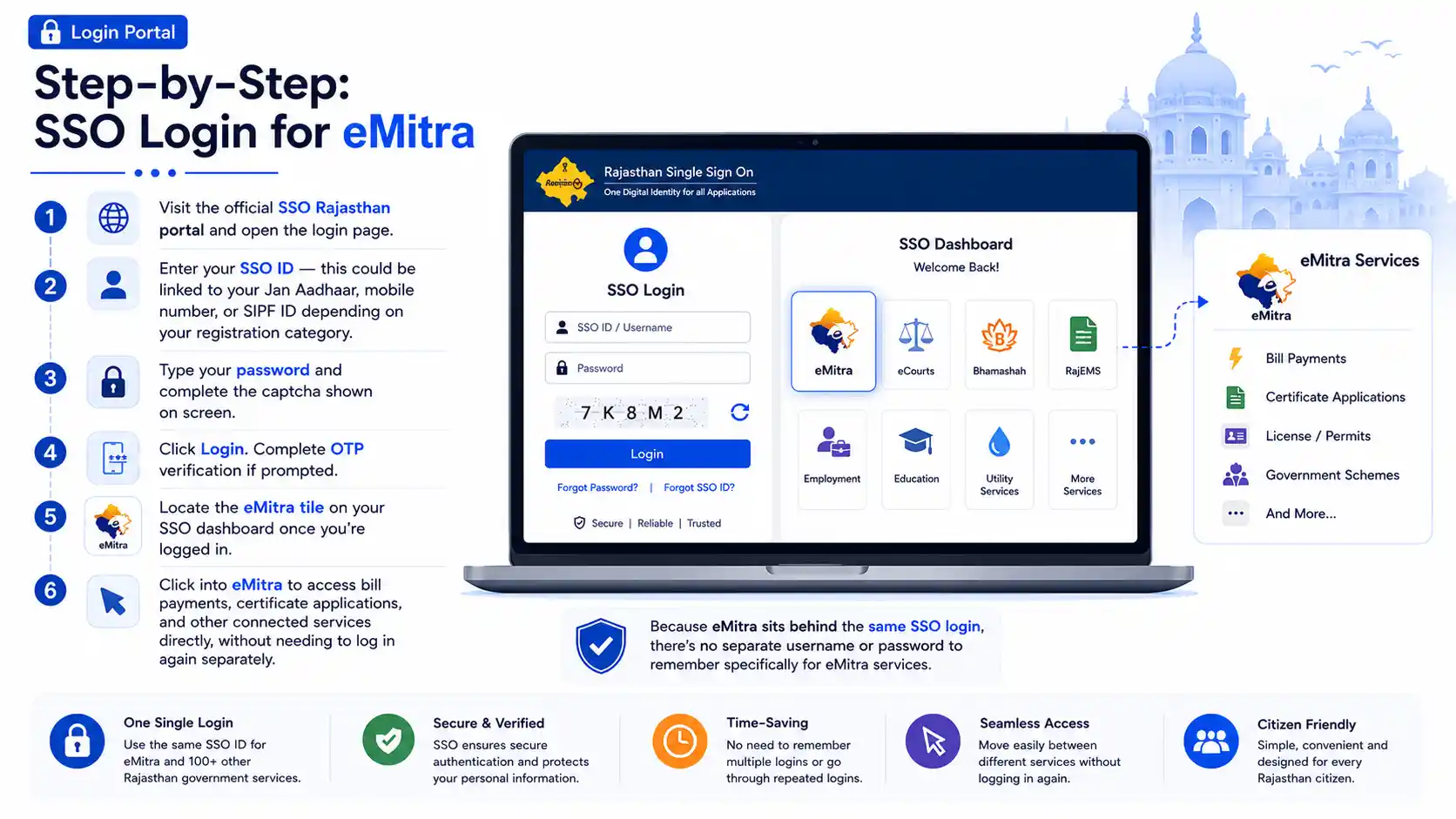
Because eMitra sits behind the same SSO login, there’s no separate username or password to remember specifically for eMitra services.
What Is eMitra Login Used for on the SSO Portal?
Once you access eMitra through your SSO login, you can typically use it for:
- Utility bill payments, including electricity and water bills
- Certificate applications, such as income, caste, domicile, and birth certificates
- Document verification services tied to various state departments
- Application status tracking for services you’ve already submitted through eMitra
- Miscellaneous government service requests that have been digitized under the eMitra network
Essentially, eMitra functions as the practical, everyday-task layer of the broader SSO ecosystem, handling the kind of routine government interactions residents need most often.
Can I Access eMitra Services Without an SSO ID?
For most digital eMitra services accessed online, an SSO login is required, since eMitra was built to operate within the unified SSO system rather than as a standalone portal. However, residents who don’t have their own SSO ID or aren’t comfortable navigating the online process can still access eMitra services in person by visiting a physical eMitra kiosk. At these kiosks, a trained local operator handles the login and service request on your behalf, using their own operator credentials, so you don’t need to personally hold an SSO ID to get a certificate issued or a bill paid through the kiosk network. If you plan to use eMitra services regularly online yourself, though, registering for your own SSO ID is the more convenient long-term option.
How Do I Link My eMitra Account With SSO ID?
If you used eMitra services in the past through an older, separate login system before the SSO integration, or if you’re unsure whether your eMitra activity is properly linked to your current SSO ID, the process is straightforward:
- Log in to your SSO account as usual.
- Open the eMitra tile from your dashboard.
- If prompted, confirm or enter any legacy eMitra reference details, such as a previous transaction ID or registered mobile number used with eMitra earlier.
- Follow the on-screen linking confirmation, which usually involves a quick OTP verification.
For most citizens who registered for their SSO ID after eMitra’s integration into the broader system, no separate linking step is needed at all — the eMitra tile simply appears on the dashboard automatically once your SSO account is active.
Troubleshooting eMitra SSO Login Issues
If you’re logged into your SSO account but can’t access eMitra specifically, a few checks help narrow down the problem:
Confirm your SSO login itself is working.
If you can’t log into the main SSO portal at all, the issue isn’t specific to eMitra — check your SSO ID and password first.
Look for the eMitra tile on your dashboard.
If it’s missing entirely, try refreshing the dashboard or logging out and back in, since occasionally a session needs to refresh before all service tiles load correctly.
Check for eMitra-specific maintenance notices.
Since eMitra handles high transaction volumes, particularly for bill payments, it occasionally has its own brief maintenance windows separate from the main SSO portal.
Verify your registration category.
eMitra services are generally available to all citizen accounts, but if you registered under an employee or business category exclusively, some citizen-specific eMitra services may not appear the same way.
If none of these resolve the issue, visiting your nearest eMitra kiosk in person remains a reliable fallback, since kiosk operators can complete most services directly even if your online access is temporarily having trouble.
eMitra SSO Login on Mobile Devices
The eMitra SSO login process works the same way on mobile browsers as it does on desktop. Since many eMitra tasks — like paying a utility bill or checking a certificate application status — are quick, one-off actions, a lot of users prefer handling these directly from their phone rather than waiting to use a computer. Just make sure your registered mobile number is reachable on the device you’re using in case OTP verification is triggered during login.
Why eMitra Was Integrated Into the SSO System
Before the SSO login system existed, eMitra operated with its own separate account structure in many cases, meaning residents sometimes had to remember yet another username and password on top of their other government portal logins. As the state moved toward a unified digital identity approach, folding eMitra into the broader SSO ecosystem was a natural step, since eMitra already handled such a high volume of everyday citizen interactions. This integration meant residents no longer needed to think of eMitra as a separate system at all — it simply became one of many services accessible from the same SSO dashboard, alongside employment, GST, and health scheme access.
For older residents who used eMitra kiosks for years before this integration, this shift can occasionally cause some initial confusion, since they may still expect a standalone eMitra login screen. Understanding that eMitra now lives entirely within the SSO framework clears up most of that confusion quickly.
Difference Between Using eMitra Online and at a Kiosk
It helps to understand the practical difference between accessing eMitra through your own SSO login online versus visiting a physical kiosk, since both remain valid ways to use the service depending on your comfort level and access to technology.
Online, through SSO login, you complete the entire process yourself — logging in, selecting the service, entering details, and making any required payment — from your own device, at any time of day. This is generally faster for straightforward tasks like paying a utility bill, and it gives you direct control over entering your own information accurately.
At a physical kiosk, a trained operator handles the technical side of the process for you, using their own login credentials rather than requiring you to have your own SSO ID. This route is especially useful for residents who don’t have reliable internet access, aren’t comfortable with online forms, or need assistance with a more complex service request that benefits from in-person guidance. Kiosk operators typically charge a small, government-regulated service fee for their assistance, which is separate from the actual service cost itself, such as the bill amount or certificate fee.
Both paths lead to the same underlying eMitra services — the choice mainly comes down to convenience and personal comfort with technology.
Tips for a Smooth eMitra SSO Login Experience
A few small habits make using eMitra through your SSO login noticeably smoother:
- Keep your registered mobile number active, since OTP verification during eMitra transactions, especially payments, is common
- Double-check bill or certificate details carefully before submitting, since eMitra transactions involving payments generally can’t be reversed once processed
- Save or screenshot transaction confirmations for services like bill payments, in case you need proof of payment later
- If a payment appears to fail but money was deducted from your account, wait a short period before retrying, since the transaction status sometimes takes a few minutes to update, rather than attempting the same payment twice in quick succession
Frequently Asked Questions About eMitra SSO Login
Final Notes on eMitra SSO Login
The eMitra SSO login process is designed to be simple precisely because it doesn’t require a separate account — your existing SSO ID is all you need. Once logged in, everyday services like bill payments and certificate applications are just a click away on your dashboard, and if you ever run into access trouble online, your nearest eMitra kiosk remains available as a dependable backup.